
What's new?
Introducing Kodezi Chronos
What's new?
Introducing Kodezi Chronos
The Debugging Intelligence That Keeps Your Code Alive
The Debugging Intelligence That Keeps Your Code Alive
Kodezi finds bugs, applies fixes, updates documentation, and keeps your codebase healthy as you build.
Kodezi finds bugs, applies fixes, updates documentation, and keeps your codebase healthy as you build.
Start free
25 credits/day

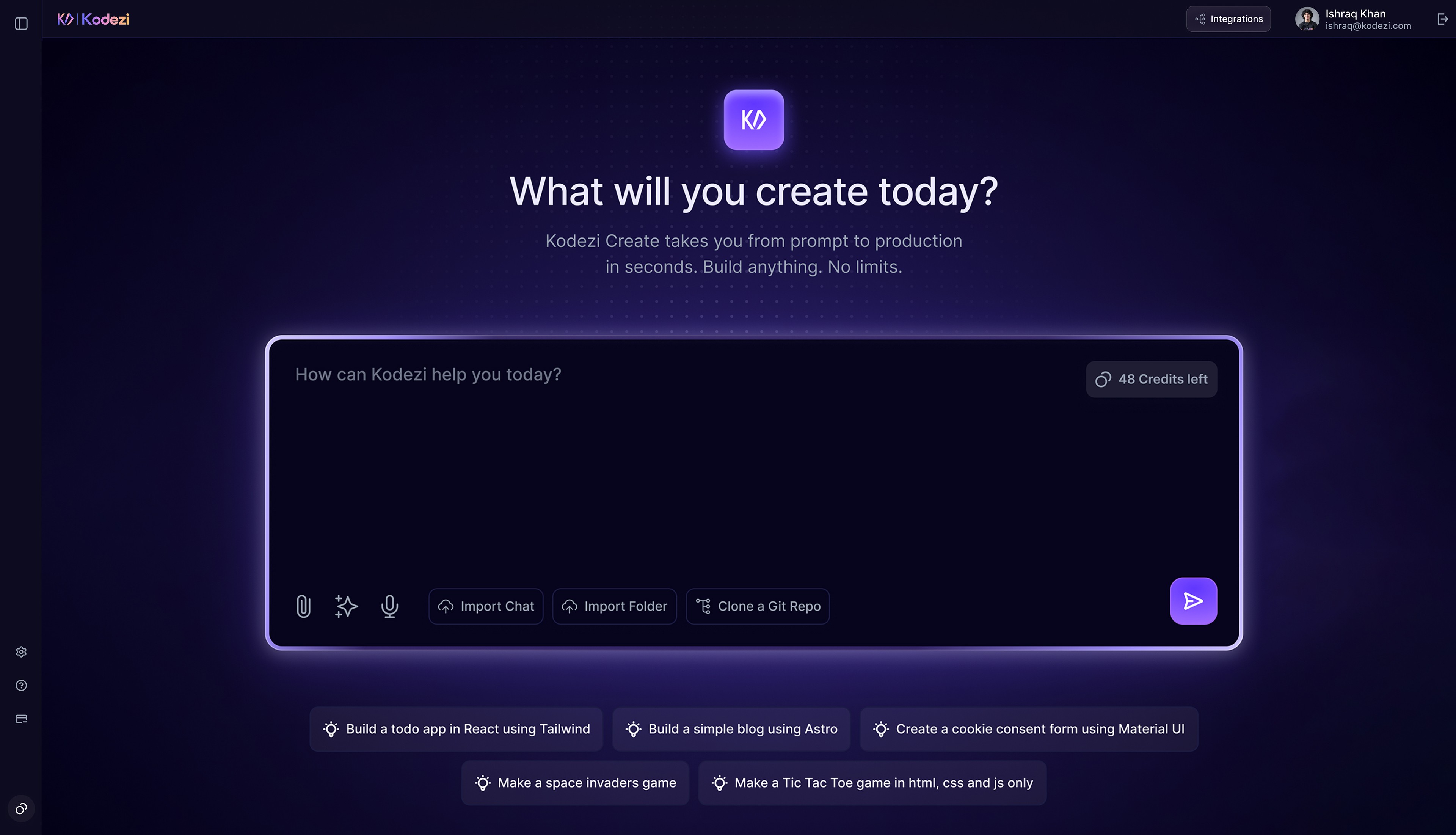
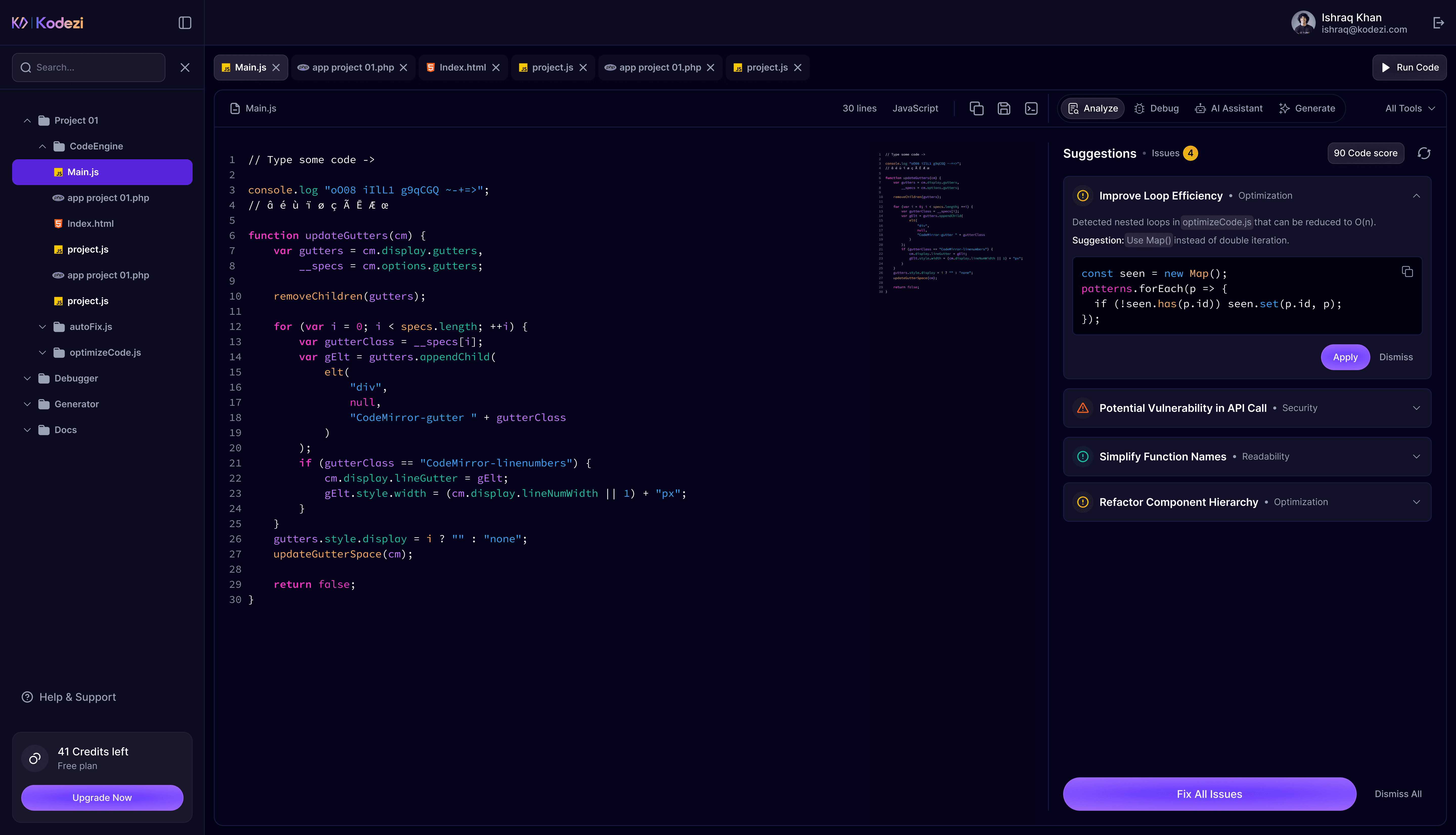
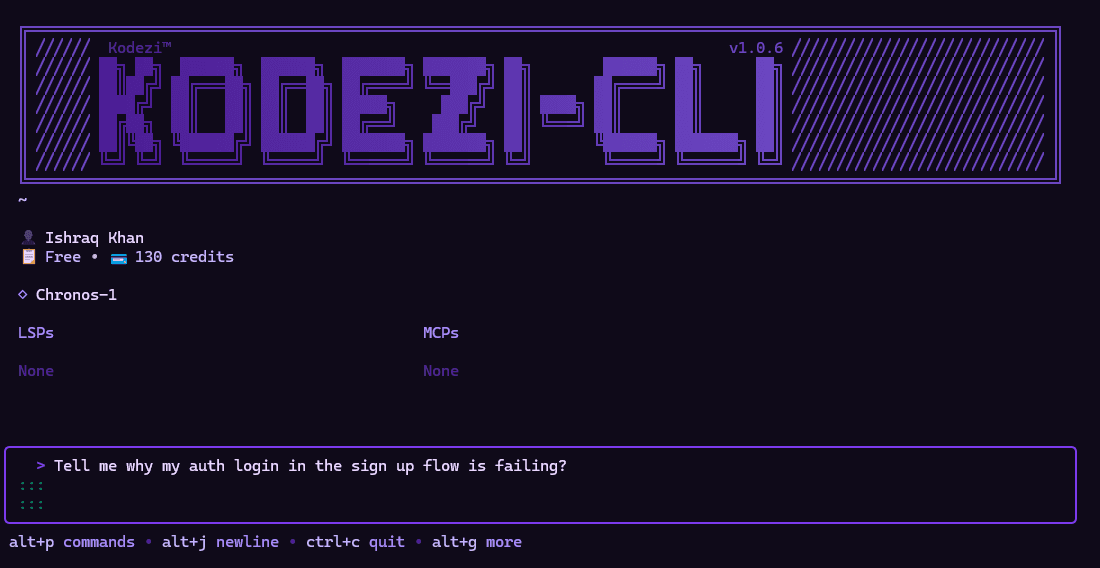
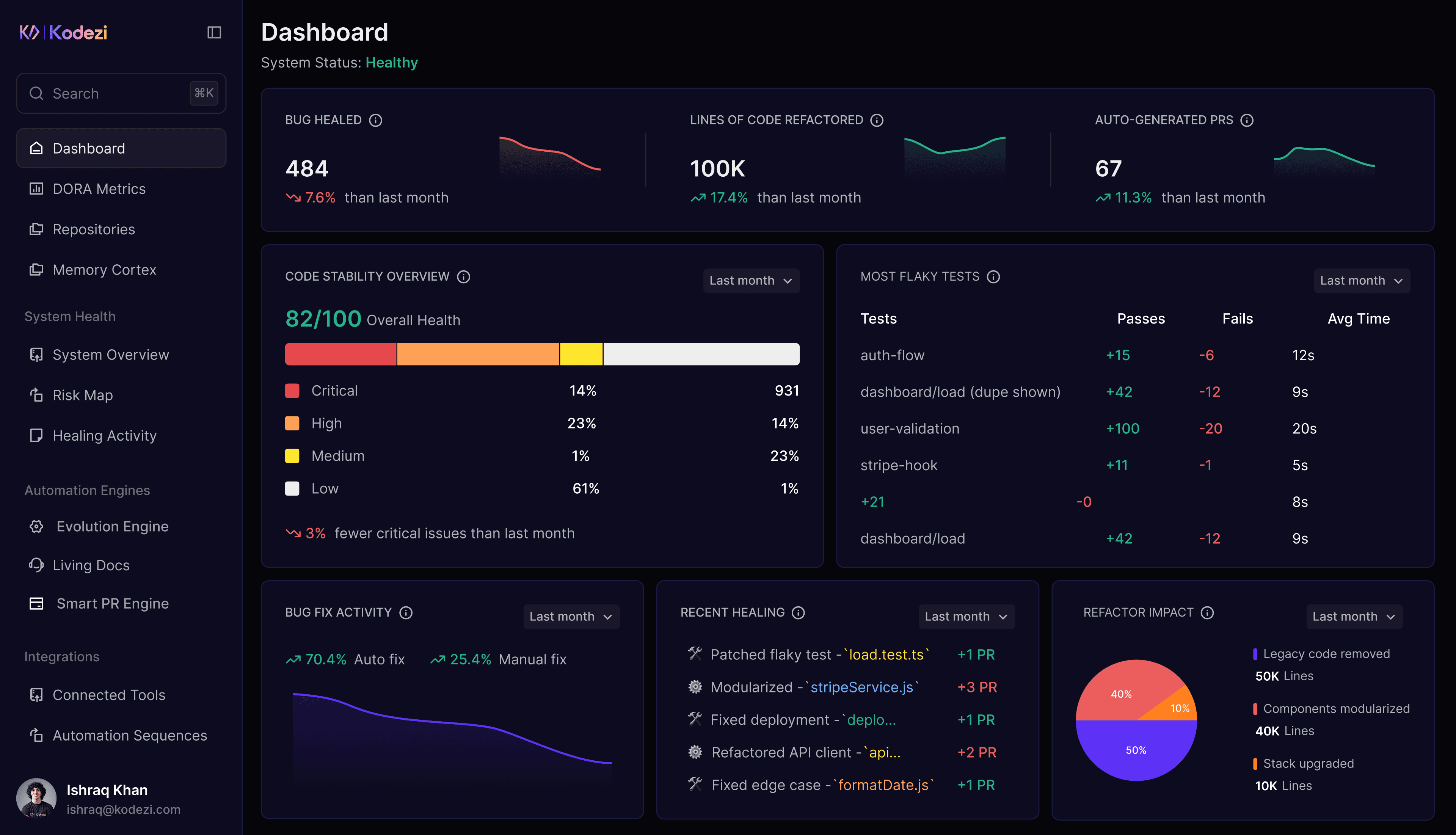
Kodezi OS
Kodezi CLI
Kodezi Code
Kodezi Create
Kodezi OS
Kodezi CLI
Kodezi Code
Kodezi Create
OS
CLI
Code
Create
Kodezi OS
Kodezi CLI
Kodezi Code
Kodezi Create
Fixed Code After Debugging
1
2
3
4
5
6
7
8
9
10
11
import React, { useState } from 'react';
import PropTypes from 'prop-types';
import './Welcome.css'; // ✅ Fix 2 (PR): Added Welcome.css file via pull request
function WelcomeMessage({ user }) {
return (
);
}
WelcomeMessage.propTypes = {
user: PropTypes.string,
};
WelcomeMessage.defaultProps = {
user: 'Guest',
};
function App() {
const [user, setUser] = useState();
return (
);
}
export default App;

Bug Fixed: Proptype Missing
→ PropTypes added to enable runtime prop validation.
→ Helps catch bugs early when 'user' is missing or passed incorrectly.
Autonomous Bug Fixing
Detects issues instantly and applies intelligent fixes, keeping your codebase clean without manual intervention.
Fixed Code After Debugging
1
2
3
4
5
6
7
8
9
10
11
import React, { useState } from 'react';
import PropTypes from 'prop-types';
import './Welcome.css'; // ✅ Fix 2 (PR): Added Welcome.css file via pull request
function WelcomeMessage({ user }) {
return (
);
}
WelcomeMessage.propTypes = {
user: PropTypes.string,
};
WelcomeMessage.defaultProps = {
user: 'Guest',
};
function App() {
const [user, setUser] = useState();
return (
);
}
export default App;
Bug Fixed: Proptype Missing
→ PropTypes added to enable runtime prop validation.
→ Helps catch bugs early when 'user' is missing or passed incorrectly.
Autonomous Bug Fixing
Detects issues instantly and applies intelligent fixes, keeping your codebase clean without manual intervention.
Fixed Code After Debugging
1
2
3
4
5
6
7
8
9
10
11
import React, { useState } from 'react';
import PropTypes from 'prop-types';
import './Welcome.css'; // ✅ Fix 2 (PR): Added Welcome.css file via pull request
function WelcomeMessage({ user }) {
return (
);
}
WelcomeMessage.propTypes = {
user: PropTypes.string,
};
WelcomeMessage.defaultProps = {
user: 'Guest',
};
function App() {
const [user, setUser] = useState();
return (
);
}
export default App;
Bug Fixed: Proptype Missing
→ PropTypes added to enable runtime prop validation.
→ Helps catch bugs early when 'user' is missing or passed incorrectly.
Autonomous Bug Fixing
Detects issues instantly and applies intelligent fixes, keeping your codebase clean without manual intervention.
Code After Refinement
1
2
3
4
5
6
7
8
9
10
11
import React, { useState } from "react";
function App() {
const [userName, setUserName] = useState("user");
return (
<>
Welcome, {userName}
setUserName(e.target.value)} />
Submit
);
}
export default App;

Redundancy Removed
→ Replaced redundant
Real-Time Code Refinement
Streamlines your code by eliminating bloat and inefficiencies, boosting performance and maintainability.
Code After Refinement
1
2
3
4
5
6
7
8
9
10
11
import React, { useState } from "react";
function App() {
const [userName, setUserName] = useState("user");
return (
<>
Welcome, {userName}
setUserName(e.target.value)} />
Submit
);
}
export default App;
Redundancy Removed
→ Replaced redundant
Real-Time Code Refinement
Streamlines your code by eliminating bloat and inefficiencies, boosting performance and maintainability.
Code After Refinement
1
2
3
4
5
6
7
8
9
10
11
import React, { useState } from "react";
function App() {
const [userName, setUserName] = useState("user");
return (
<>
Welcome, {userName}
setUserName(e.target.value)} />
Submit
);
}
export default App;
Redundancy Removed
→ Replaced redundant
Real-Time Code Refinement
Streamlines your code by eliminating bloat and inefficiencies, boosting performance and maintainability.
Code After Applying Best Practices
1
2
3
4
5
6
7
8
9
10
11
import React, { useState, useEffect } from "react";
function App() {
// User name state
const [userName, setUserName] = useState("user");
// Email input state
const [userEmail, setUserEmail] = useState("");
// Login state
const [isLoggedIn, setIsLoggedIn] = useState(false);
// Fetch initial data on mount
useEffect(() => {
fetch("https://api.example.com/data")
.then((response) => response.json())
.then((data) => {
console.log("Fetched data:", data);
})
.catch((error) => {
console.error("Error fetching data:", error);
});
}, []);
// Handle button click
const handleClick = () => {
console.log("Button clicked");
console.log("Current user:", userName);
};
return (
);
}
export default App;

Best Practice Applied
→ Use useState with descriptive names to improve code clarity.
Auto-Enforce Best Practices and Standards
Automatically aligns your code with industry standards for performance, security, and precision, no extra effort needed.
Code After Applying Best Practices
1
2
3
4
5
6
7
8
9
10
11
import React, { useState, useEffect } from "react";
function App() {
// User name state
const [userName, setUserName] = useState("user");
// Email input state
const [userEmail, setUserEmail] = useState("");
// Login state
const [isLoggedIn, setIsLoggedIn] = useState(false);
// Fetch initial data on mount
useEffect(() => {
fetch("https://api.example.com/data")
.then((response) => response.json())
.then((data) => {
console.log("Fetched data:", data);
})
.catch((error) => {
console.error("Error fetching data:", error);
});
}, []);
// Handle button click
const handleClick = () => {
console.log("Button clicked");
console.log("Current user:", userName);
};
return (
);
}
export default App;
Best Practice Applied
→ Use useState with descriptive names to improve code clarity.
Auto-Enforce Best Practices and Standards
Automatically aligns your code with industry standards for performance, security, and precision, no extra effort needed.
Code After Applying Best Practices
1
2
3
4
5
6
7
8
9
10
11
import React, { useState, useEffect } from "react";
function App() {
// User name state
const [userName, setUserName] = useState("user");
// Email input state
const [userEmail, setUserEmail] = useState("");
// Login state
const [isLoggedIn, setIsLoggedIn] = useState(false);
// Fetch initial data on mount
useEffect(() => {
fetch("https://api.example.com/data")
.then((response) => response.json())
.then((data) => {
console.log("Fetched data:", data);
})
.catch((error) => {
console.error("Error fetching data:", error);
});
}, []);
// Handle button click
const handleClick = () => {
console.log("Button clicked");
console.log("Current user:", userName);
};
return (
);
}
export default App;
Best Practice Applied
→ Use useState with descriptive names to improve code clarity.
Auto-Enforce Best Practices and Standards
Automatically aligns your code with industry standards for performance, security, and precision, no extra effort needed.
Code After Vulnerability Detection and Error Recovery
1
2
3
4
5
6
7
8
9
10
11
import React, { useState, useEffect } from "react";
function sanitize(input) {
// Create a temporary DOM element to use the browser's built-in encoding
const element = document.createElement('div');
element.innerText = input;
return element.innerHTML;
}
function App() {
const [userName, setUserName] = useState("user");
const [userEmail, setUserEmail] = useState("");
const [isLoggedIn, setIsLoggedIn] = useState(false);
useEffect(() => {
fetch("https://api.example.com/data")
.then((response) => response.json())
.then((data) => console.log(data));
}, []);
const handleClick = () => {
console.log("clicked");
console.log(userName);
};
return (
);
}
export default App;

Potential XSS Vulnerability Fixed
→ Safer alternative Applied:
Welcome, (sanitize(Input)}}!
Vulnerability Detection and Error Recovery
Automatically uncovers security risks, heals vulnerabilities, and builds fault-tolerant exception handling all before code ever reaches production.
Code After Vulnerability Detection and Error Recovery
1
2
3
4
5
6
7
8
9
10
11
import React, { useState, useEffect } from "react";
function sanitize(input) {
// Create a temporary DOM element to use the browser's built-in encoding
const element = document.createElement('div');
element.innerText = input;
return element.innerHTML;
}
function App() {
const [userName, setUserName] = useState("user");
const [userEmail, setUserEmail] = useState("");
const [isLoggedIn, setIsLoggedIn] = useState(false);
useEffect(() => {
fetch("https://api.example.com/data")
.then((response) => response.json())
.then((data) => console.log(data));
}, []);
const handleClick = () => {
console.log("clicked");
console.log(userName);
};
return (
);
}
export default App;
Potential XSS Vulnerability Fixed
→ Safer alternative Applied:
Welcome, (sanitize(Input)}}!
Vulnerability Detection and Error Recovery
Automatically uncovers security risks, heals vulnerabilities, and builds fault-tolerant exception handling all before code ever reaches production.
Code After Vulnerability Detection and Error Recovery
1
2
3
4
5
6
7
8
9
10
11
import React, { useState, useEffect } from "react";
function sanitize(input) {
// Create a temporary DOM element to use the browser's built-in encoding
const element = document.createElement('div');
element.innerText = input;
return element.innerHTML;
}
function App() {
const [userName, setUserName] = useState("user");
const [userEmail, setUserEmail] = useState("");
const [isLoggedIn, setIsLoggedIn] = useState(false);
useEffect(() => {
fetch("https://api.example.com/data")
.then((response) => response.json())
.then((data) => console.log(data));
}, []);
const handleClick = () => {
console.log("clicked");
console.log(userName);
};
return (
);
}
export default App;
Potential XSS Vulnerability Fixed
→ Safer alternative Applied:
Welcome, (sanitize(Input)}}!
Vulnerability Detection and Error Recovery
Automatically uncovers security risks, heals vulnerabilities, and builds fault-tolerant exception handling all before code ever reaches production.
Documented API
openapi: 3.0.0
info:
title: User API
version: 1.0.0
paths:
/users:
get:
summary: Retrieve all users
responses:
'200':
description: A list of users
content:
application/json:
schema:
type: array
items:
$ref: '#/components/schemas/User'
components:
schemas:
User:
type: object
properties:
id:
type: integer
name:
type: string
Intelligent Code and API Generation
Builds code, API definitions, and test coverage automatically, ensuring every update is complete and reliable.
Documented API
openapi: 3.0.0
info:
title: User API
version: 1.0.0
paths:
/users:
get:
summary: Retrieve all users
responses:
'200':
description: A list of users
content:
application/json:
schema:
type: array
items:
$ref: '#/components/schemas/User'
components:
schemas:
User:
type: object
properties:
id:
type: integer
name:
type: string
Intelligent Code and API Generation
Builds code, API definitions, and test coverage automatically, ensuring every update is complete and reliable.
Documented API
openapi: 3.0.0
info:
title: User API
version: 1.0.0
paths:
/users:
get:
summary: Retrieve all users
responses:
'200':
description: A list of users
content:
application/json:
schema:
type: array
items:
$ref: '#/components/schemas/User'
components:
schemas:
User:
type: object
properties:
id:
type: integer
name:
type: string
Intelligent Code and API Generation
Builds code, API definitions, and test coverage automatically, ensuring every update is complete and reliable.
Fixed Code After Debugging
1
2
3
4
5
6
7
8
9
10
11
import React, { useState } from 'react';
import PropTypes from 'prop-types';
import './Welcome.css'; // ✅ Fix 2 (PR): Added Welcome.css file via pull request
function WelcomeMessage({ user }) {
return (
);
}
WelcomeMessage.propTypes = {
user: PropTypes.string,
};
WelcomeMessage.defaultProps = {
user: 'Guest',
};
function App() {
const [user, setUser] = useState();
return (
);
}
export default App;
Bug Fixed: Proptype Missing
→ PropTypes added to enable runtime prop validation.
→ Helps catch bugs early when 'user' is missing or passed incorrectly.
Autonomous Bug Fixing
Detects issues instantly and applies intelligent fixes, keeping your codebase clean without manual intervention.
Code After Refinement
1
2
3
4
5
6
7
8
9
10
11
import React, { useState } from "react";
function App() {
const [userName, setUserName] = useState("user");
return (
<>
Welcome, {userName}
setUserName(e.target.value)} />
Submit
);
}
export default App;
Redundancy Removed
→ Replaced redundant
Real-Time Code Refinement
Streamlines your code by eliminating bloat and inefficiencies, boosting performance and maintainability.
Code After Applying Best Practices
1
2
3
4
5
6
7
8
9
10
11
import React, { useState, useEffect } from "react";
function App() {
// User name state
const [userName, setUserName] = useState("user");
// Email input state
const [userEmail, setUserEmail] = useState("");
// Login state
const [isLoggedIn, setIsLoggedIn] = useState(false);
// Fetch initial data on mount
useEffect(() => {
fetch("https://api.example.com/data")
.then((response) => response.json())
.then((data) => {
console.log("Fetched data:", data);
})
.catch((error) => {
console.error("Error fetching data:", error);
});
}, []);
// Handle button click
const handleClick = () => {
console.log("Button clicked");
console.log("Current user:", userName);
};
return (
);
}
export default App;
Best Practice Applied
→ Use useState with descriptive names to improve code clarity.
Auto-Enforce Best Practices and Standards
Automatically aligns your code with industry standards for performance, security, and precision, no extra effort needed.
Code After Vulnerability Detection and Error Recovery
1
2
3
4
5
6
7
8
9
10
11
import React, { useState, useEffect } from "react";
function sanitize(input) {
// Create a temporary DOM element to use the browser's built-in encoding
const element = document.createElement('div');
element.innerText = input;
return element.innerHTML;
}
function App() {
const [userName, setUserName] = useState("user");
const [userEmail, setUserEmail] = useState("");
const [isLoggedIn, setIsLoggedIn] = useState(false);
useEffect(() => {
fetch("https://api.example.com/data")
.then((response) => response.json())
.then((data) => console.log(data));
}, []);
const handleClick = () => {
console.log("clicked");
console.log(userName);
};
return (
);
}
export default App;
Potential XSS Vulnerability Fixed
→ Safer alternative Applied:
Welcome, (sanitize(Input)}}!
Vulnerability Detection and Error Recovery
Automatically uncovers security risks, heals vulnerabilities, and builds fault-tolerant exception handling all before code ever reaches production.
Documented API
openapi: 3.0.0
info:
title: User API
version: 1.0.0
paths:
/users:
get:
summary: Retrieve all users
responses:
'200':
description: A list of users
content:
application/json:
schema:
type: array
items:
$ref: '#/components/schemas/User'
components:
schemas:
User:
type: object
properties:
id:
type: integer
name:
type: string
Intelligent Code and API Generation
Builds code, API definitions, and test coverage automatically, ensuring every update is complete and reliable.
Fixed Code After Debugging
1
2
3
4
5
6
7
8
9
10
11
import React, { useState } from 'react';
import PropTypes from 'prop-types';
import './Welcome.css'; // ✅ Fix 2 (PR): Added Welcome.css file via pull request
function WelcomeMessage({ user }) {
return (
);
}
WelcomeMessage.propTypes = {
user: PropTypes.string,
};
WelcomeMessage.defaultProps = {
user: 'Guest',
};
function App() {
const [user, setUser] = useState();
return (
);
}
export default App;
Bug Fixed: Proptype Missing
→ PropTypes added to enable runtime prop validation.
→ Helps catch bugs early when 'user' is missing or passed incorrectly.
Autonomous Bug Fixing
Detects issues instantly and applies intelligent fixes, keeping your codebase clean without manual intervention.
Code After Refinement
1
2
3
4
5
6
7
8
9
10
11
import React, { useState } from "react";
function App() {
const [userName, setUserName] = useState("user");
return (
<>
Welcome, {userName}
setUserName(e.target.value)} />
Submit
);
}
export default App;
Redundancy Removed
→ Replaced redundant
Real-Time Code Refinement
Streamlines your code by eliminating bloat and inefficiencies, boosting performance and maintainability.
Code After Applying Best Practices
1
2
3
4
5
6
7
8
9
10
11
import React, { useState, useEffect } from "react";
function App() {
// User name state
const [userName, setUserName] = useState("user");
// Email input state
const [userEmail, setUserEmail] = useState("");
// Login state
const [isLoggedIn, setIsLoggedIn] = useState(false);
// Fetch initial data on mount
useEffect(() => {
fetch("https://api.example.com/data")
.then((response) => response.json())
.then((data) => {
console.log("Fetched data:", data);
})
.catch((error) => {
console.error("Error fetching data:", error);
});
}, []);
// Handle button click
const handleClick = () => {
console.log("Button clicked");
console.log("Current user:", userName);
};
return (
);
}
export default App;
Best Practice Applied
→ Use useState with descriptive names to improve code clarity.
Auto-Enforce Best Practices and Standards
Automatically aligns your code with industry standards for performance, security, and precision, no extra effort needed.
Code After Vulnerability Detection and Error Recovery
1
2
3
4
5
6
7
8
9
10
11
import React, { useState, useEffect } from "react";
function sanitize(input) {
// Create a temporary DOM element to use the browser's built-in encoding
const element = document.createElement('div');
element.innerText = input;
return element.innerHTML;
}
function App() {
const [userName, setUserName] = useState("user");
const [userEmail, setUserEmail] = useState("");
const [isLoggedIn, setIsLoggedIn] = useState(false);
useEffect(() => {
fetch("https://api.example.com/data")
.then((response) => response.json())
.then((data) => console.log(data));
}, []);
const handleClick = () => {
console.log("clicked");
console.log(userName);
};
return (
);
}
export default App;
Potential XSS Vulnerability Fixed
→ Safer alternative Applied:
Welcome, (sanitize(Input)}}!
Vulnerability Detection and Error Recovery
Automatically uncovers security risks, heals vulnerabilities, and builds fault-tolerant exception handling all before code ever reaches production.
Documented API
openapi: 3.0.0
info:
title: User API
version: 1.0.0
paths:
/users:
get:
summary: Retrieve all users
responses:
'200':
description: A list of users
content:
application/json:
schema:
type: array
items:
$ref: '#/components/schemas/User'
components:
schemas:
User:
type: object
properties:
id:
type: integer
name:
type: string
Intelligent Code and API Generation
Builds code, API definitions, and test coverage automatically, ensuring every update is complete and reliable.
CLI Debugging
CLI Debugging
CLI Debugging
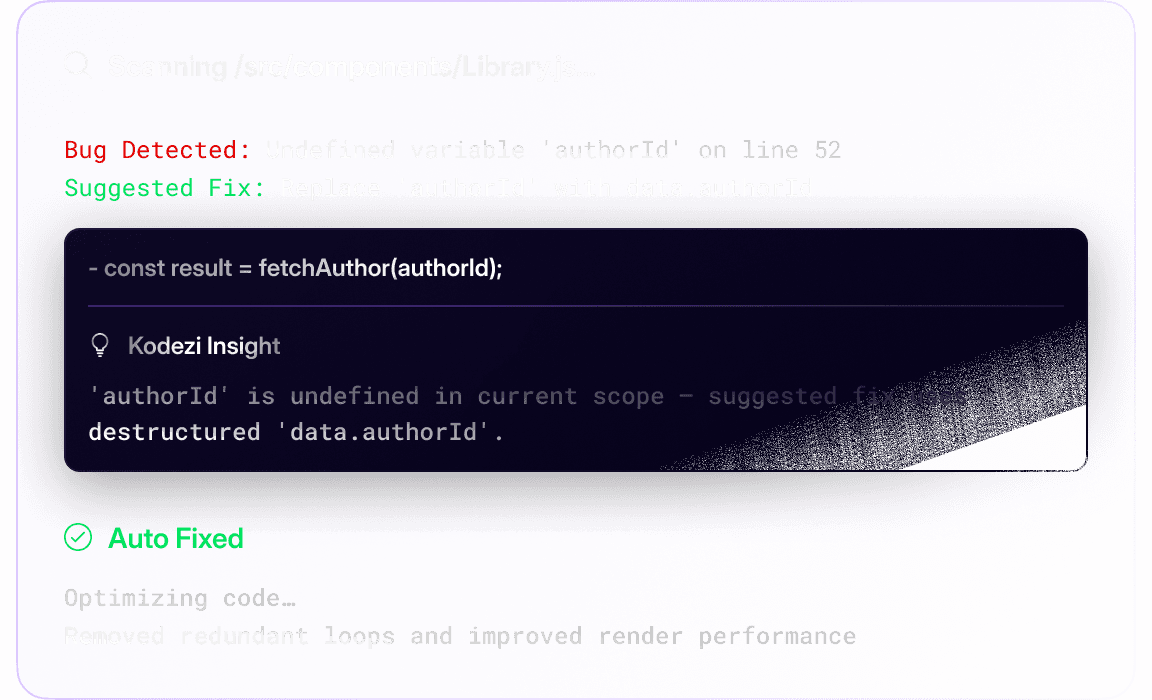
Find, fix, and commit smarter - all from your terminal.
Kodezi CLI scans your local codebase, automatically identifies bugs and issues, and suggests pull-ready fixes with explanations.
Generation
Generation
Generation
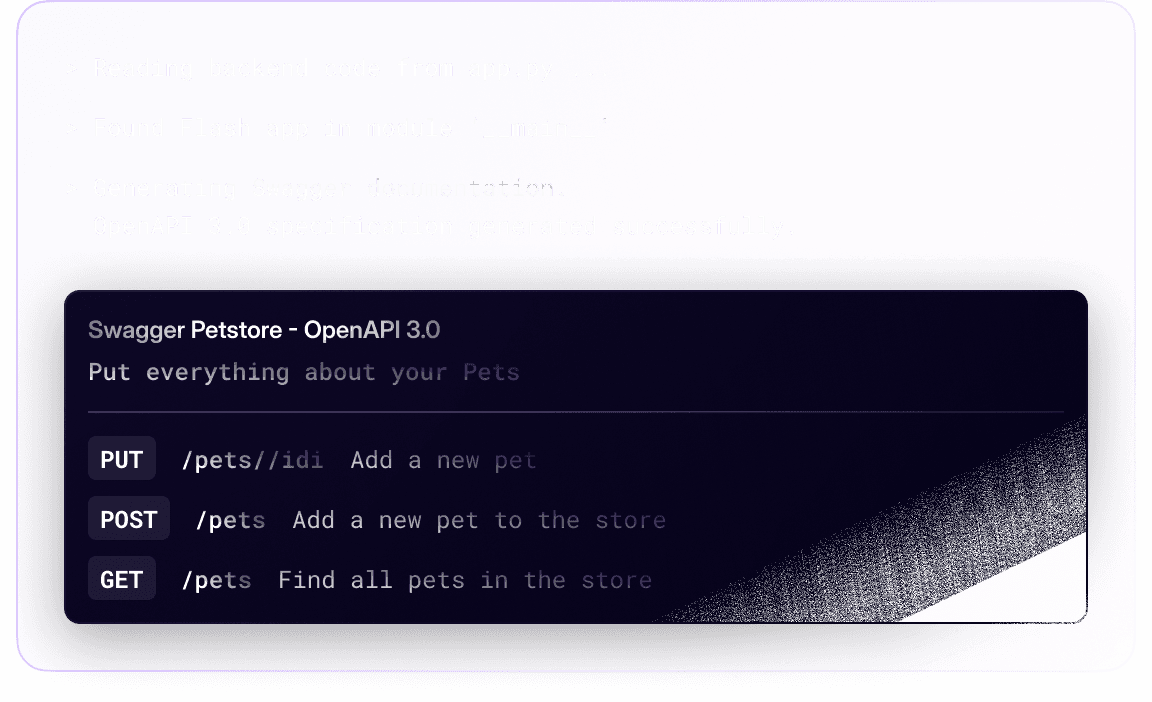
Build and maintain your entire codebase without switching tools.
Kodezi CLI analyzes your project, generates code, builds APIs, produces tests, and keeps your documentation synced without extra tools.
Codebase Quality Control
Maintain production grade quality through automatic linting, formatting, security checks, and structure optimization.
Codebase Quality Control
Maintain production grade quality through automatic linting, formatting, security checks, and structure optimization.
Codebase Quality Control
Auto-lint, format, and secure every push or PR to keep your codebase clean and production-ready.
Codebase Quality Control
Maintain production grade quality through automatic linting, formatting, security checks, and structure optimization.
Agentic Terminal Automation
Execute commands that scan, fix, refactor, and document your codebase automatically from the command line.
Agentic Terminal Automation
Execute commands that scan, fix, refactor, and document your codebase automatically from the command line.
Agentic Terminal Automation
Execute commands that scan, fix, refactor, and document your codebase automatically from the command line.
Agentic Terminal Automation
Execute commands that scan, fix, refactor, and document your codebase automatically from the command line.
Long-Term Project Memory
Kodezi learns from your past code to deliver smarter fixes and help your system evolve over time.
Long-Term Project Memory
Kodezi learns from your past code to deliver smarter fixes and help your system evolve over time.
Long-Term Project Memory
Kodezi learns from your past code to deliver smarter fixes and help your system evolve over time.
Long-Term Project Memory
Kodezi learns from your past code to deliver smarter fixes and help your system evolve over time.
Kodezi CLI Languages
Built for the Languages That Power Modern Software
Kodezi CLI natively supports JavaScript, TypeScript, Python, Java and more helping you debug, optimize, and document projects across the most popular tech stacks.
















Kodezi CLI Languages
Built for the Languages That Power Modern Software
Kodezi CLI natively supports JavaScript, TypeScript, Python, Java and more helping you debug, optimize, and document projects across the most popular tech stacks.
Kodezi CLI Languages
Built for the Languages That Power Modern Software
Kodezi CLI natively supports JavaScript, TypeScript, Python, Java and more helping you debug, optimize, and document projects across the most popular tech stacks.
Kodezi CLI Languages
Built for the Languages That Power Modern Software
Kodezi CLI natively supports JavaScript, TypeScript, Python, Java and more helping you debug, optimize, and document projects across the most popular tech stacks.
Pricing
Pricing
Pricing
Choose Your Perfect Plan
Scale from solo coding to full-team autonomy flexible plans for every stage.
Monthly
Annually
20% OFF
What’s included;
Kodezi Create
Web-based IDE Access
25 credits/day
Advanced Code Models
What’s included;
Kodezi Create + Web IDE Pro
Advanced Code Models
100 credits/day
Kodezi OS
Kodezi CLI + OS
Most Popular
Autonomous infrastructure for dev teams.
$59.99
per month, per user
What’s included;
Dev Stack Integration
Full CLI Toolset + Kodezi OS
Smart PRs & Auto-Healing
Kodezi OS Intelligence
Monthly
Annually
20% OFF
What’s included;
Kodezi Create
Web-based IDE Access
25 credits/day
Advanced Code Models
What’s included;
Kodezi Create + Web IDE Pro
Advanced Code Models
100 credits/day
Kodezi OS
Kodezi CLI + OS
Most Popular
Autonomous infrastructure for dev teams.
$59.99
per month, per user
What’s included;
Dev Stack Integration
Full CLI Toolset + Kodezi OS
Smart PRs & Auto-Healing
Kodezi OS Intelligence
Monthly
Annually
What’s included;
Kodezi Create
Web-based IDE Access
25 credits/day
Advanced Code Models
What’s included;
Kodezi Create + Web IDE Pro
Advanced Code Models
100 credits/day
Kodezi OS
Kodezi CLI + OS
Most Popular
Autonomous infrastructure for dev teams.
$59.99
per month, per user
What’s included;
Dev Stack Integration
Full CLI Toolset + Kodezi OS
Smart PRs & Auto-Healing
Kodezi OS Intelligence
Monthly
Annually
20% OFF
What’s included;
Kodezi Create
Web-based IDE Access
25 credits/day
Advanced Code Models
What’s included;
Kodezi Create + Web IDE Pro
Advanced Code Models
100 credits/day
Kodezi OS
Kodezi CLI + OS
Most Popular
Autonomous infrastructure for dev teams.
$59.99
per month, per user
What’s included;
Dev Stack Integration
Full CLI Toolset + Kodezi OS
Smart PRs & Auto-Healing
Kodezi OS Intelligence
More details and all features
Testimonials
Voices of Success and Satisfaction
See why over 4,000,000 users love Kodezi real stories of success, productivity, and peace of mind.
"As a small team, we couldn’t waste time debugging. Kodezi handled fixes and docs so we could focus on building."


Jasmine Patel
Data Scientist @ Quantia
"Kodezi seriously impressed me. It spotted bugs, patched tests, and polished my codebase better than most tools I've used."


Malik Trenell
Software Engineer @ Netflix
"After adding Kodezi to our pipelines, we saw fewer failed deploys, faster PRs, and less tech debt almost immediately."


Lukas Schneider
Founder @ Nexora
"Kodezi caught bugs, fixed flaky tests, and cleaned up our legacy code, like adding a senior engineer to every repo."


Rachel Hume
VP of Enginnering @ Upnova
"Kodezi CLI caught issues before our CI even ran, like having a senior engineer review every commit."


Eric Zhu
CEO @ Aviato
"Kodezi reviews, comments, and documents PRs. It was like having an AI maintainer handling the chaos."


Neal Verma
Machine Learning Engineer @ Ventra
Testimonials
Voices of Success and Satisfaction
See why over 4,000,000 users love Kodezi real stories of success, productivity, and peace of mind.
"As a small team, we couldn’t waste time debugging. Kodezi handled fixes and docs so we could focus on building."
Jasmine Patel
Data Scientist @ Quantia
"Kodezi seriously impressed me. It spotted bugs, patched tests, and polished my codebase better than most tools I've used."
Malik Trenell
Software Engineer @ Netflix
"After adding Kodezi to our pipelines, we saw fewer failed deploys, faster PRs, and less tech debt almost immediately."
Lukas Schneider
Founder @ Nexora
"Kodezi caught bugs, fixed flaky tests, and cleaned up our legacy code, like adding a senior engineer to every repo."
Rachel Hume
VP of Enginnering @ Upnova
"Kodezi CLI caught issues before our CI even ran, like having a senior engineer review every commit."
Eric Zhu
CEO @ Aviato
"Kodezi reviews, comments, and documents PRs. It was like having an AI maintainer handling the chaos."
Neal Verma
Machine Learning Engineer @ Ventra
Testimonials
Voices of Success and Satisfaction
See why over 4,000,000 users love Kodezi real stories of success, productivity, and peace of mind.
"As a small team, we couldn’t waste time debugging. Kodezi handled fixes and docs so we could focus on building."
Jasmine Patel
Data Scientist @ Quantia
"Kodezi seriously impressed me. It spotted bugs, patched tests, and polished my codebase better than most tools I've used."
Malik Trenell
Software Engineer @ Netflix
"After adding Kodezi to our pipelines, we saw fewer failed deploys, faster PRs, and less tech debt almost immediately."
Lukas Schneider
Founder @ Nexora
"Kodezi caught bugs, fixed flaky tests, and cleaned up our legacy code, like adding a senior engineer to every repo."
Rachel Hume
VP of Enginnering @ Upnova
"Kodezi CLI caught issues before our CI even ran, like having a senior engineer review every commit."
Eric Zhu
CEO @ Aviato
"Kodezi reviews, comments, and documents PRs. It was like having an AI maintainer handling the chaos."
Neal Verma
Machine Learning Engineer @ Ventra
Testimonials
Voices of Success and Satisfaction
See why over 4,000,000 users love Kodezi real stories of success, productivity, and peace of mind.
"As a small team, we couldn’t waste time debugging. Kodezi handled fixes and docs so we could focus on building."
Jasmine Patel
Data Scientist @ Quantia
"Kodezi seriously impressed me. It spotted bugs, patched tests, and polished my codebase better than most tools I've used."
Malik Trenell
Software Engineer @ Netflix
"After adding Kodezi to our pipelines, we saw fewer failed deploys, faster PRs, and less tech debt almost immediately."
Lukas Schneider
Founder @ Nexora
"Kodezi caught bugs, fixed flaky tests, and cleaned up our legacy code, like adding a senior engineer to every repo."
Rachel Hume
VP of Enginnering @ Upnova
"Kodezi CLI caught issues before our CI even ran, like having a senior engineer review every commit."
Eric Zhu
CEO @ Aviato
"Kodezi reviews, comments, and documents PRs. It was like having an AI maintainer handling the chaos."
Neal Verma
Machine Learning Engineer @ Ventra
FAQs
We’ve got the answers you’re looking for.
Explore helpful insights, fast explanations, and expert guidance to get the most out of Kodezi.
What is Kodezi?
Kodezi is building the autonomous infrastructure layer for software an AI system that doesn’t just help you write code, but keeps it alive. With tools like Kodezi OS, we go beyond copilots by healing bugs, writing documentation, patching vulnerabilities, and evolving your codebase without you asking.
Who is Kodezi for?
What problem does Kodezi solve?
How do I start using Kodezi?
FAQs
We’ve got the answers you’re looking for.
Explore helpful insights, fast explanations, and expert guidance to get the most out of Kodezi.
What is Kodezi?
Kodezi is building the autonomous infrastructure layer for software an AI system that doesn’t just help you write code, but keeps it alive. With tools like Kodezi OS, we go beyond copilots by healing bugs, writing documentation, patching vulnerabilities, and evolving your codebase without you asking.
Who is Kodezi for?
What problem does Kodezi solve?
How do I start using Kodezi?
FAQs
We’ve got the answers you’re looking for.
Explore helpful insights, fast explanations, and expert guidance to get the most out of Kodezi.
What is Kodezi?
Kodezi is building the autonomous infrastructure layer for software an AI system that doesn’t just help you write code, but keeps it alive. With tools like Kodezi OS, we go beyond copilots by healing bugs, writing documentation, patching vulnerabilities, and evolving your codebase without you asking.
Who is Kodezi for?
What problem does Kodezi solve?
How do I start using Kodezi?
FAQs
We’ve got the answers you’re looking for.
Explore helpful insights, fast explanations, and expert guidance to get the most out of Kodezi.
What is Kodezi?
Kodezi is building the autonomous infrastructure layer for software an AI system that doesn’t just help you write code, but keeps it alive. With tools like Kodezi OS, we go beyond copilots by healing bugs, writing documentation, patching vulnerabilities, and evolving your codebase without you asking.
Who is Kodezi for?
What problem does Kodezi solve?
How do I start using Kodezi?
Backed By
Backed By
Backed By




Write Code.
We’ll Evolve It.
Write Code.
We’ll Evolve It.
Unlock the power of Kodezi.

Use Cases
Use Cases
©2025 Kodezi Inc. All Rights Reserved
Use Cases
Use Cases